

AI Visibility shows which AI products visit your Docs7 site. Open Docs7, choose a site, then select AI Visibility.
Choose a 24 hour, 7 day, 30 day, or 90 day window. The 30 and 90 day windows require Docs7 Pro. If the site has branch previews, you can include their traffic. Preview traffic is excluded by default.
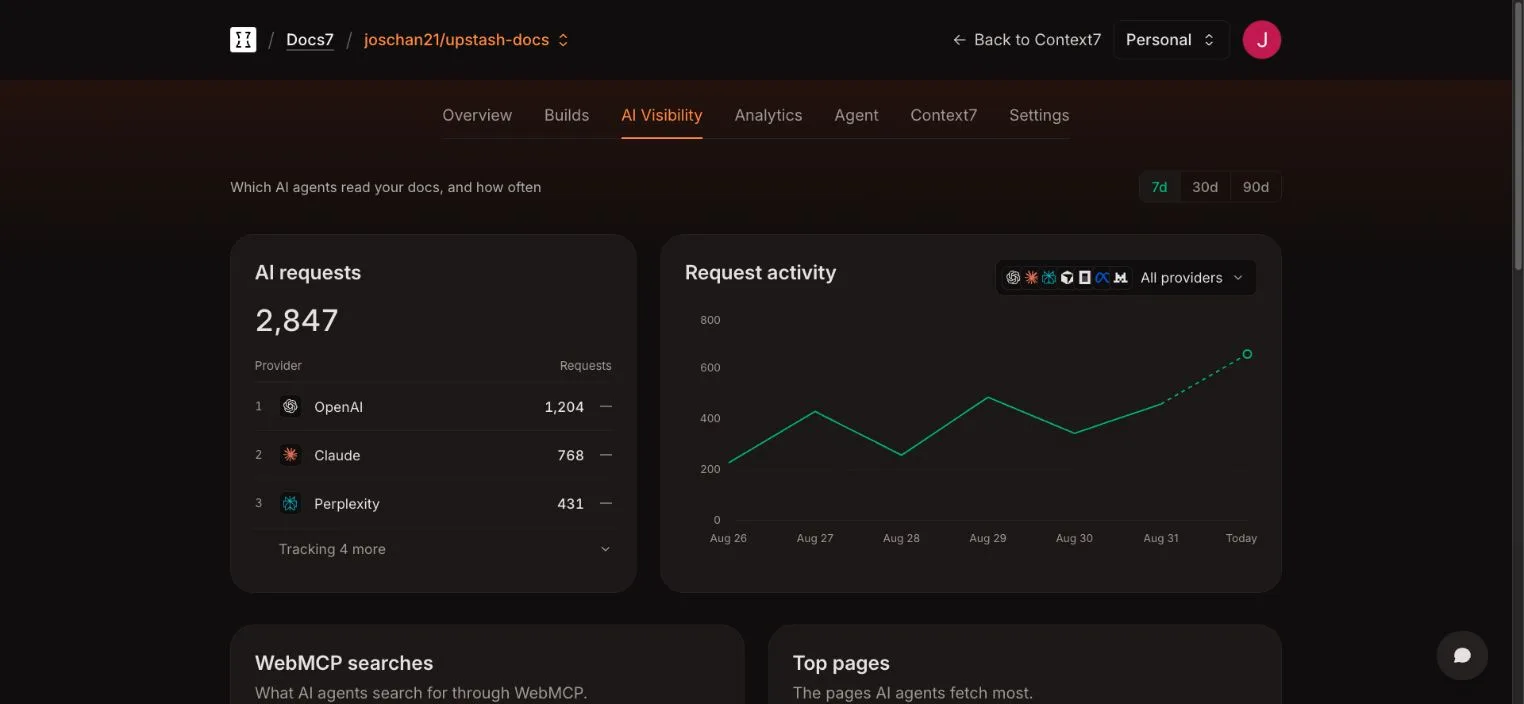
AI requests#
An AI request is one visit from a tracked AI product. It is not a unique person, conversation, citation, or answer. One product can make several requests while researching a question.
The provider ranking groups requests by product. The activity chart shows request volume over time and can be filtered by provider.
Included providers#
Docs7 currently tracks:
- OpenAI
- Claude
- Perplexity
- Cursor
- OpenCode
- Meta
- Mistral
- Grok (xAI)
AI Visibility shows which product made the request. It does not show the exact model version.
Agent questions#
The Agent questions card shows the most common questions that AI agents send to your docs. It shows one source at a time:
- Ask endpoint: a note on every page tells agents how to ask the docs with
/ask?q=<keywords or question>. - WebMCP: Docs7 exposes a read-only
ask_docsWebMCP tool in browsers that support WebMCP.
These are separate from searches typed by people in the website search box. Human search terms appear under Analytics.
Top pages#
Top pages ranks paths by AI request count. Use the path filter to narrow the list, then sort by most or least fetched.
A high request count shows that agents fetch a page often. It does not show whether the page was cited or whether the agent’s final answer was correct.
Recent requests#
The recent request table shows:
- the detected agent or provider
- the requested path
- the request country, when available
- the request time
Use this view to confirm that a crawler reaches the expected URL or to investigate a change in provider activity.
Feature requests and page feedback#
The last two cards show what agents and readers told your site. Feature requests lists the features they asked for, with their votes. Page feedback shows the page ratings and comments. Each card shows how many came from agents and how many from people. See Feature requests and Feedback from agents.
The Page feedback card has two views: the latest comments, and the pages with the most No votes. The report opens from the card and lists every rating, not just the latest comments. It has no window switch: it always reads all the history your plan keeps, 7 days on Docs7 Free or 90 on Docs7 Pro.
Owners and admins can delete a rating with its trash icon. This removes one reader’s or agent’s rating of one page, with its comment, from the totals and the page rows. You cannot undo this.